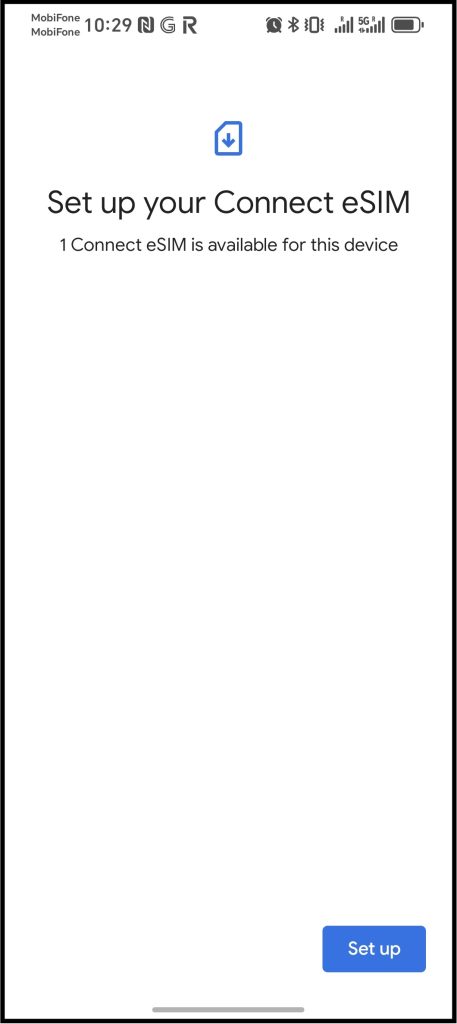



Installing an eSIM from the QR Code using your Android Mobile Device
PLEASE NOTE YOUR MOBILE PHONE MUST HAVE INTERNET ACCESS DURING THIS PROCESS !
1. Take a screen shot of the QR code from the email you received after you created an eSIM in the eSIM online Platform.
“Refer to your mobile phones manufacturers user instructions on how to take a screen shot” for your particular android mobile device
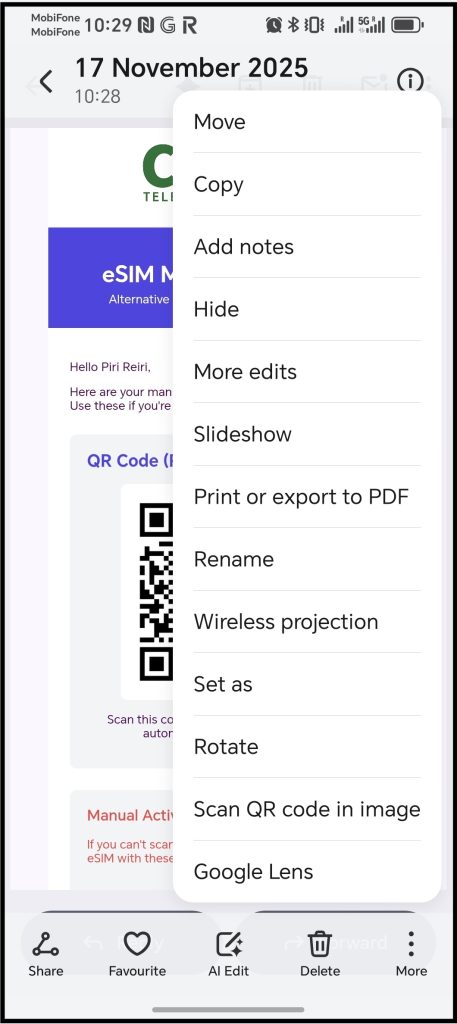
2. Go to photos and open the saved screen shot image of the QR code, then click on the three dots by the more option and select “Scan QR code in image”
3. You will the see a “Checking network info” message, please wait until it is finished.

4. Then you will see a “setup” button appear, click this button and following the instructions from your android mobile phone to complete the eSIM installation process.