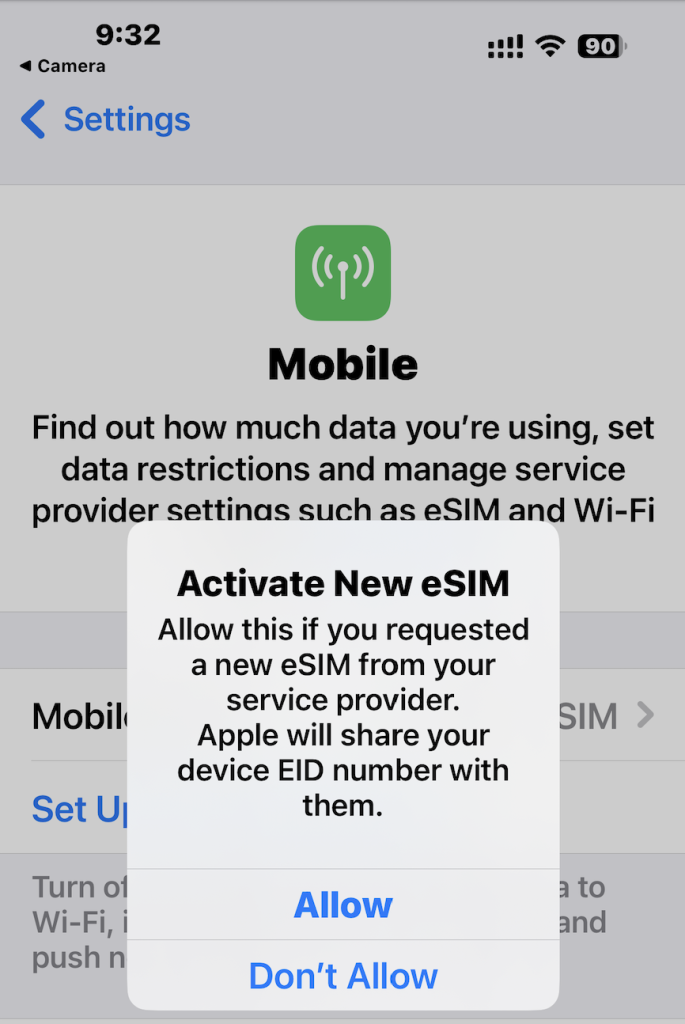



Installing an eSIM from the QR Code using your iPhone
PLEASE NOTE YOUR MOBILE PHONE MUST HAVE INTERNET ACCESS DURING THIS PROCESS !
1. Take a screen shot of the QR code from the email you received after you created an eSIM in the eSIM online Platform.
“To create a screen shot press the side button and the volume up button at the same time on iPhones”
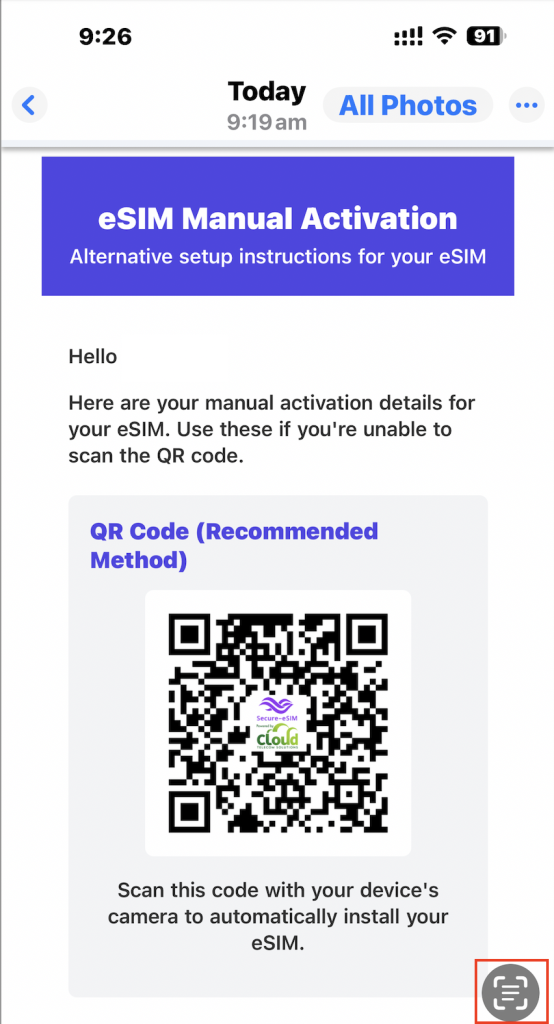
2. Go to photos and open the saved screen shot image of the QR code, then click on the scan icon as shown below
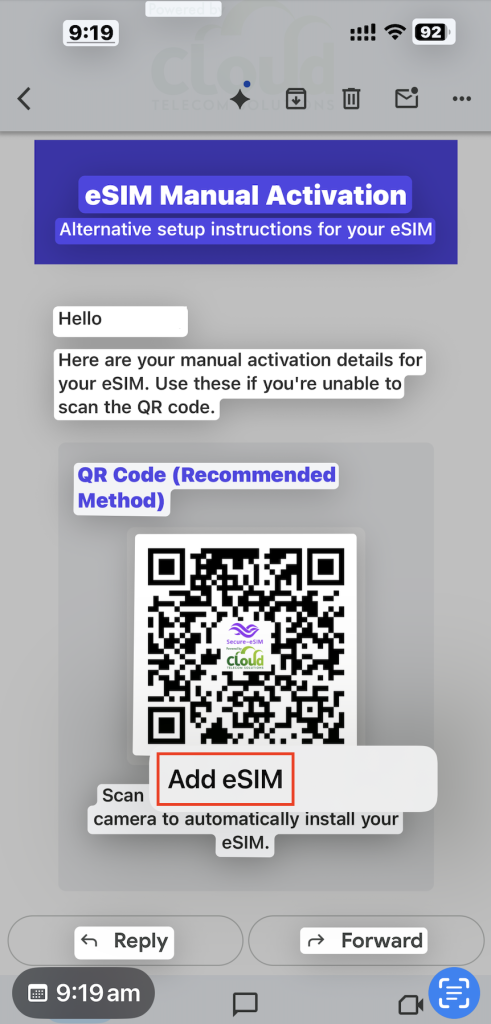
3. Then tap the QR code and you will see the option called “Add eSIM”
4. Then you will see the option to “Activate New eSIM”, click “Allow” and follow the instructions as directed on the iPhone